
Download Botme – AI Chatbot Builder, Free, Secure, Easy Integration
Introduction & Overview
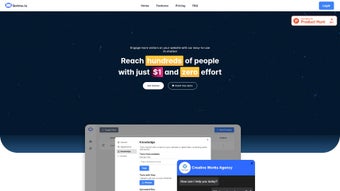
Botme.io is a web‑based, AI‑powered chatbot platform that lets businesses design, launch, and manage intelligent chat assistants without writing a single line of code. The service targets users of all technical backgrounds, from seasoned developers to marketing teams who simply need a conversational interface that feels native to their brand. By leveraging state‑of‑the‑art natural language processing (NLP) and machine‑learning models, Botme can understand visitor intent, respond with contextual relevance, and hand off to human agents when needed. The platform’s dashboard combines a drag‑and‑drop builder, real‑time preview, and a robust analytics suite, allowing you to fine‑tune dialogue flows, track engagement metrics, and iterate based on data‑driven insights. Whether you aim to reduce support tickets, capture leads, or boost on‑site conversions, Botme provides a secure, scalable, and customizable solution that integrates seamlessly with most website platforms, including WordPress, Shopify, Wix, and custom HTML sites.
The free tier offers unlimited chatbot instances with basic features, while premium plans unlock advanced AI models, multi‑language support, and priority customer service. Botme also includes built‑in compliance tools such as GDPR‑ready data handling, role‑based access controls, and end‑to‑end encryption, ensuring that every conversation respects user privacy. In addition to the web dashboard, Botme supplies a lightweight JavaScript snippet that can be placed on any site, meaning you never need to host or maintain server‑side infrastructure yourself. This SaaS‑first approach reduces operational overhead, lets you focus on conversation design, and guarantees you always run the latest AI improvements without manual updates. Overall, Botme positions itself as a bridge between sophisticated AI technology and the everyday business user who wants to automate customer interaction quickly, securely, and without a steep learning curve.
Key Features that Power Your Conversational Strategy
- Intuitive Drag‑and‑Drop Builder: Create conversation flows visually, add quick replies, buttons, and conditional logic without coding.
- Advanced NLP Engine: Powered by transformer models that interpret user intent, handle synonyms, and maintain context across multiple turns.
- Brand Customization: Match your chatbot’s colors, fonts, avatar, and welcome message to your website’s design language.
- Multi‑Channel Deployment: Embed on websites, launch on Facebook Messenger, WhatsApp, or integrate via API for mobile apps (iOS, Android).
- Rich Analytics Dashboard: Monitor conversation volume, drop‑off rates, satisfaction scores, and conversion metrics in real time.
- Seamless CRM & Help‑Desk Integration: Connect to HubSpot, Salesforce, Zendesk, or custom webhooks to sync leads and tickets.
- Live‑Agent Handoff: Escalate complex queries to human support agents with a single click, preserving chat history.
- Security & Compliance: End‑to‑end encryption, GDPR‑ready data handling, and role‑based access controls for team collaboration.
- Automated Updates: Botme continuously improves its language models, delivering new capabilities without manual patches.
- Free Tier & Scalable Pricing: Start for free, then upgrade as your chatbot traffic grows, with transparent pricing per active user.
These features collectively make Botme a versatile tool for e‑commerce stores seeking to reduce cart abandonment, SaaS companies aiming to automate onboarding, and service providers wanting 24/7 support. The platform’s emphasis on ease‑of‑use does not compromise depth; power users can inject custom JavaScript, define API calls, and train domain‑specific intents using the built‑in training console. This blend of simplicity and extensibility is what sets Botme apart from generic chatbot builders that either overwhelm beginners or limit advanced customization. Moreover, Botme’s analytics are not just raw numbers—they include visual heatmaps of conversation pathways, sentiment analysis for each user interaction, and predictive insights that suggest which intents are likely to convert. By turning data into actionable recommendations, Botme helps you continuously refine the bot’s performance, leading to higher user satisfaction and measurable ROI.
Installation, Setup & Daily Usage Guide
Step‑by‑Step Installation
Because Botme is a cloud service, there is no traditional software download or local installation required. Follow these simple steps to get your chatbot live in under ten minutes:
- Create an Account: Visit Botme.io and sign up with your email or Google account. A verification link will be sent to confirm ownership.
- Choose a Template: After logging in, you’ll see a gallery of pre‑built conversation templates (e.g., FAQ, Lead Capture, Order Tracking). Pick one that aligns with your business goal.
- Customize the Flow: Use the visual builder to add, delete, or reorder blocks. Insert text responses, quick reply buttons, or conditional branches based on user input.
- Brand Your Bot: In the Settings tab, upload your logo, set the chatbot bubble color, and edit the welcome message to match your brand voice.
- Integrate on Your Site: Botme generates a short JavaScript snippet. Copy the code and paste it just before the closing
tag of your website’s HTML, or use the dedicated WordPress plugin for one‑click insertion. - Test & Publish: Click the “Preview” button to interact with your bot in a sandbox environment. Once satisfied, hit “Publish” and the chatbot becomes active for all site visitors.
Daily Management and Optimization
After deployment, the Botme dashboard serves as your command center. You can monitor live chat sessions, review analytics, and adjust dialogue in real time. The “Analytics” tab displays key performance indicators such as Sessions per Day, Average Response Time, Conversion Rate, and User Satisfaction Score.
Use these insights to identify high‑drop‑off steps and refine messaging. For example, if the “Contact Form” button sees low clicks, you might rewrite the preceding prompt to be more compelling. Botme also offers A/B testing: duplicate a conversation flow, modify the copy, and let the platform split traffic to measure which version drives better results.
Because Botme automatically updates its NLP models, you rarely need to worry about manual patches. However, you should periodically review the “Intent Training” panel to add new synonyms or correct mis‑classifications, especially after launching new products or services. The platform’s “Team Collaboration” feature lets multiple users edit the same bot with role‑based permissions, ensuring that marketing, support, and product teams stay aligned. Finally, set up automated alerts for metrics that matter to you—such as a sudden spike in fallback intents—so you can intervene quickly and keep the conversation experience smooth.
Compatibility, Pros & Cons, and Frequently Asked Questions
Operating System Compatibility
Botme is a browser‑based SaaS solution, meaning it works on any modern operating system that supports up‑to‑date browsers—Windows 10/11, macOS Ventura and later, Linux distributions, as well as mobile platforms such as iOS 14+ and Android 9+. The admin console is optimized for Chrome, Firefox, Edge, and Safari, delivering a consistent experience across desktop and tablet devices.
Pros
- Zero‑code setup makes chatbot creation accessible to non‑technical users.
- Advanced NLP delivers high accuracy in understanding natural language.
- Rich analytics empower data‑driven optimization.
- Seamless integration with popular CMSs and CRMs.
- Secure, GDPR‑compliant data handling and role‑based access.
- Scalable pricing model accommodates startups to enterprise‑level traffic.
- Continuous AI model updates keep the bot state‑of‑the‑art without effort.
- Multi‑channel support (web, Messenger, WhatsApp, mobile apps) expands reach.
Cons
- Limited offline functionality; requires constant internet connectivity.
- Free tier imposes a daily message cap that may be restrictive for high‑traffic sites.
- Advanced custom scripting still requires some JavaScript knowledge.
- No native desktop application—administration is purely web‑based.
- Complex multi‑language setups may need additional configuration time.
FAQ – Answers to Common Queries
Can I use Botme on a WordPress site?
Yes. Botme offers a dedicated WordPress plugin that inserts the chatbot script automatically. You can also add the JavaScript snippet manually in your theme’s footer.
Is there a free version, and what are its limitations?
Botme provides a free tier that includes unlimited bots, basic NLP, and up to 500 messages per month. Advanced features such as multi‑language support, premium analytics, and API access require a paid plan.
How does Botme handle user data and privacy?
All conversations are encrypted in transit and at rest. Botme complies with GDPR, offering data‑deletion requests and region‑specific data residency options for EU customers.
Can I integrate Botme with my existing CRM?
Yes. Botme includes native connectors for HubSpot, Salesforce, Zoho, and also supports custom webhooks, allowing you to push lead data or ticket information directly into any CRM.
What kind of support does Botme offer?
All users receive email support and access to a knowledge base. Paid plans unlock live chat support, priority response times, and a dedicated account manager.
Is there a way to test the bot before publishing?
Yes. Botme’s “Preview” mode lets you interact with the chatbot in a sandbox environment that mimics live traffic, so you can fine‑tune responses and flows without affecting real users.
Overall Verdict: Botme strikes an excellent balance between user‑friendliness and powerful AI capabilities, making it a top choice for businesses that want to automate conversation without hiring developers.
Conclusion – Ready to Boost Engagement with Botme?
If you’re looking for a secure, free‑to‑start AI chatbot builder that scales with your business, Botme delivers a polished experience from day one. Its drag‑and‑drop interface eliminates the learning curve, while the underlying NLP engine ensures conversations feel natural and helpful. The integrated analytics give you clear visibility into performance, and the ability to connect to popular CRMs means every chat can become a qualified lead or a resolved support ticket.
Whether you run an e‑commerce storefront, a SaaS platform, or a service‑based website, Botme can be deployed in minutes and start delivering measurable results immediately. Take advantage of the free tier to experiment with different conversation flows, then upgrade as your traffic grows. Click the button below to download Botme and create your first chatbot today. Your visitors are waiting for a smarter, faster way to get answers – give them the experience they deserve.



.png)



